Prism started from something small. I follow a few markets, and I was tired of jumping between different apps and sites just to look at charts. I also wanted to test myself, and see if I could build my own charting tool instead of paying for one.
That’s really all it was. I wanted one place to look at the markets I follow, and a reason to start building again.
What I have in mind is a charting tool that charts the way I like to chart. It’s still raw and not there yet, but that’s where I am heading.
This is roughly how it got built so far, and what I learnt. Almost none of the hard parts were the charts.
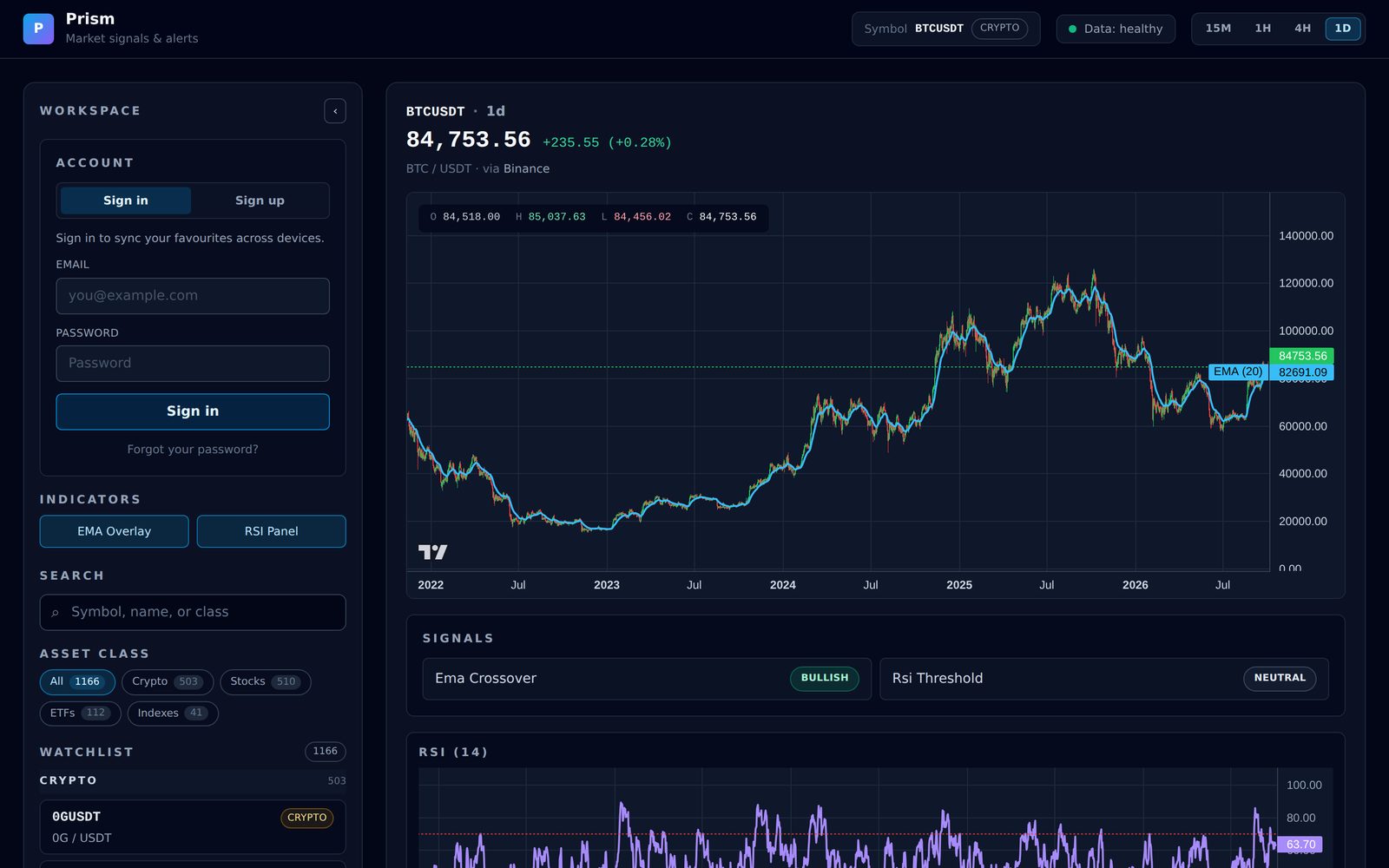
What Prism does
Prism has two halves.
The backend is a small server. It fetches crypto prices from Binance and converts them into one standard format. The rest of the app never needs to know where a price came from.
The frontend is the part you see in the browser. It draws the charts, the indicators, the signals and the alerts.
The indicators are two of the most common ones:
- EMA, a moving average. It’s the smooth blue line on the chart. It shows the trend without the noise of every single candle.
- RSI, a number from 0 to 100 that shows whether something has gone up or down too fast. Below 30 is usually called oversold, above 70 overbought.
On top of those, two simple signals. One says whether the fast moving average is above or below the slow one. The other says whether RSI is oversold, overbought or neither. Alerts can watch for those to change.
It only reads the market. It doesn’t trade, and I don’t want it to. That rule was the first thing I wrote down, before any code existed.
Because it’s a personal project, the data isn’t necessarily the most up to date or complete either. Play with it if you like, but please don’t use it to make financial decisions. The app says so at the top and bottom of every page.
What I used
- AI coding tools, like Codex and Claude Code. They work on the code in GitHub and open changes for me to approve.
- GitHub, where the code lives.
- Vercel for the frontend and Render for the backend, both on free plans.
- Supabase, free plan, for the database and sign-in.
- Binance for the prices, through its public market data.
- Lightweight Charts, TradingView’s free, open-source charting library. That’s the little TV logo in the corner of the charts.
The rule I set myself was to keep it small and use free plans where I can. It makes some things more fiddly. It also stops me from building more than I need.
Rules first
The first thing I did was not code. I had the AI write the project’s rules into a set of documents: what Prism is, what it will never do, how the pieces fit together, and what gets built in what order.
Two of those rules have held the whole way through. It never trades, and the frontend only ever sees the one standard format, never a data source’s own. They have saved me from a lot of messes.
Then an AI coding tool built a first version quickly: the data connection, a Bitcoin chart, the two indicators, a watchlist, timeframes, the signals and the alerts.
The AI never ran it
There was a problem I didn’t see at first. In its notes, the AI said it couldn’t install the charting library where it was working. So it wrote the chart code without ever running it.
When I ran it, there was no chart. The browser was refusing to let the page ask the backend for data, because the backend hadn’t been set up to allow it. A small fix, once I knew where to look.
The same tool kept reporting one error and putting it down to its own setup. That turned out to be wrong. The real build failed on exactly that error, and the fix was one line.
So now, when an AI tells me an error is “just my environment”, I ask it to prove it. And I open the thing myself before I believe it works.
Getting it online
The frontend went to Vercel and the backend to Render. Binance doesn’t serve the US, which is where Render puts servers by default, so the backend runs in Render’s Singapore region, where I am.
Stocks, for a while
For a while Prism showed stocks, ETFs and indexes too, and later I took them out. For now Prism is crypto only, using Binance’s public data.
If stocks come back, it will be through a data provider whose terms allow its data to be shown on a public website. I looked into it, and on free plans that mostly doesn’t exist. Most free tiers are for personal use only, and showing index values like the S&P 500 or the STI needs a licence of its own. The lesson for me: before building on a data source, check what its terms let you do with the data.
Free servers fall asleep
Render’s free plan puts your server to sleep after it has been idle for a while, and the next visitor has to wait for it to wake up. At first, that meant the first person to open Prism after a quiet spell saw “Loading…” with nothing telling them to wait.
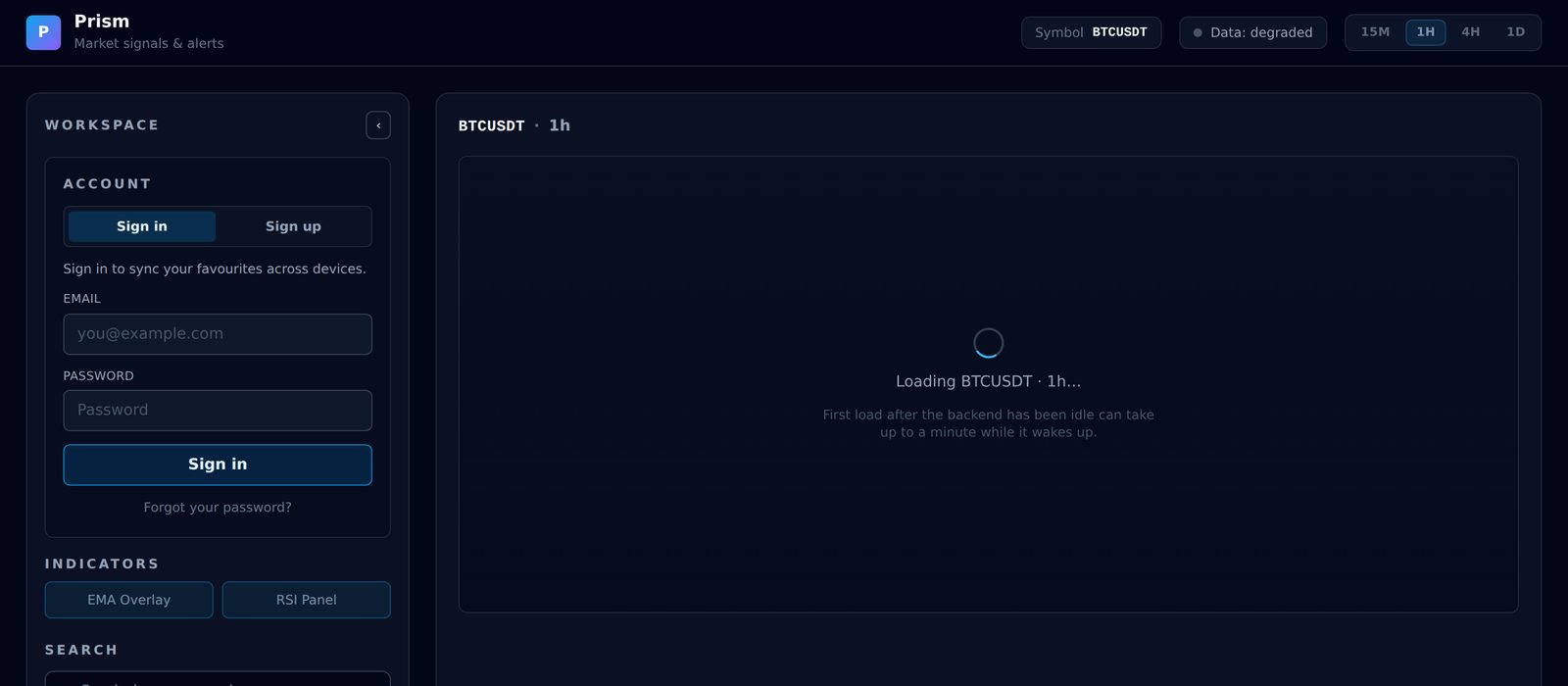
Now the page keeps retrying, says the first load can take up to a minute, and shows a Retry button if it still fails. It’s still slow on a cold start. Paying for an always-on server would fix it, but for something I mostly use myself, I am OK waiting a minute.
Not downloading the same thing twice
Prism keeps a copy of the price data it has fetched. The first time a daily chart opens for a pair, it downloads the history once. After that, it only asks for what’s new. If Binance is down, it shows whatever it already has.
To keep the free database small, only daily charts keep their full history. Shorter timeframes keep just the most recent stretch.
The original plan had a lot of database tables. It ended up with two: one for the price data, and one for people’s favourite pairs. Alerts and settings stay in your own browser.
Signals and alerts
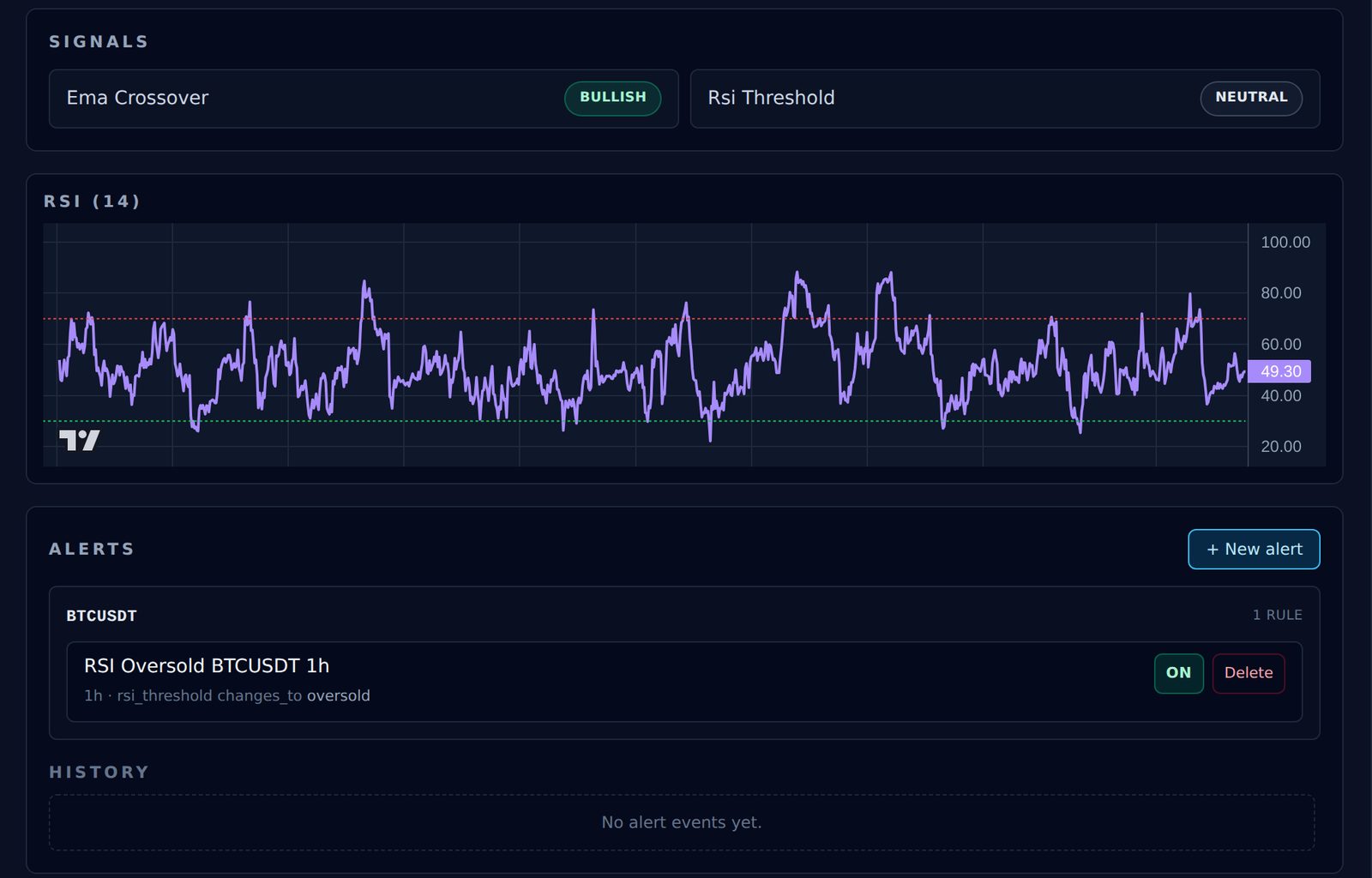
You can set an alert for when a signal changes, for example when Bitcoin’s RSI on the 1 hour chart becomes oversold. The alert and its history are saved in your browser, and it can show a notification if you allow it.
The watchlist
The first version had a handful of pairs. Now it has every crypto pair on Binance priced in USDT.
The first time the list grew, it broke, because the watchlist and the part that fetches prices were working from different lists. One shared list fixed it.
Accounts
I added sign-in so my favourite pairs follow me between my laptop and my phone. A few small things went wrong that first day, from the email limits on Supabase’s free plan to a missing password reset, and they were sorted out the same day.
I also set it up so Prism isn’t locked into Supabase. If I ever want to move the database somewhere else, it’s mostly one setting to change, not a rewrite.
Tests
The backend has automated tests for the indicator maths, the signals, the caching and sign-in. They run in seconds without touching the internet. I would add them earlier next time.
The frontend has none yet.
What still doesn’t work
- Alerts only check when the page loads a chart. If Prism isn’t open in a browser, nothing is watching.
- The price at the top is the last finished candle, not the live price.
If you want to build your own
You don’t need Prism’s exact setup. This is the order I would do it in now.
- Write the rules down first. What it does, what it will never do, and how the pieces fit. Put them in an instructions file your AI tools read at the start of every session.
- Start with one data source and one chart. Get that working end to end on your own machine before adding anything. Actually open it in the browser.
- Run it locally first. Ask your AI for the exact commands to start each part, and write them down so you don’t have to ask again.
- Deploy early. Pick a server region close to you, check your data source works from there, and read its terms to make sure they allow what you want to do with the data.
- If a free server sleeps, design for it. Retries, a clear “waking up” message, and a Retry button.
- Store what you fetch. Download history once, then only ask for what’s new.
- Don’t trust “OK”. Check that the data you got is the data you asked for.
- Add tests for the maths early. They’re cheap and they run in seconds.
- Add accounts last, only if you need them.
Where I want it to go
This is the part I care about most.
I don’t just want an AI that draws charts. If it charts the same way for me as it does for everyone else, it’s not really mine. What I want is to tell it how I like to chart and have it do it my way.
I am not looking for an AI that tells me what to buy. I want it to help me see things the way I already see them, and build on my own ideas. If other people use it one day, I would want them to have that option too. Ask the AI for help when you want it, but keep your own way of thinking.
That’s still a long way off. For now I am working on the boring parts underneath, but that’s where I want it to end up.
— Howie