I started SGCarPrice before this site existed. I was shopping for a car at the time.
I knew which numbers mattered. COE, depreciation, the PARF rebate, the loan and the running costs. But checking all of them across different listings got tiring fast, and at some point I would stop being rational. I would like a car and talk myself into it. The numbers were right there and I still wasn’t really using them.
So I started building something for myself. Put in a few cars and get one number to look at. Should I buy this one, or keep the car I already have. Less gut feel, more maths.
This is roughly how it came together, and what I learnt on the way.
The one number
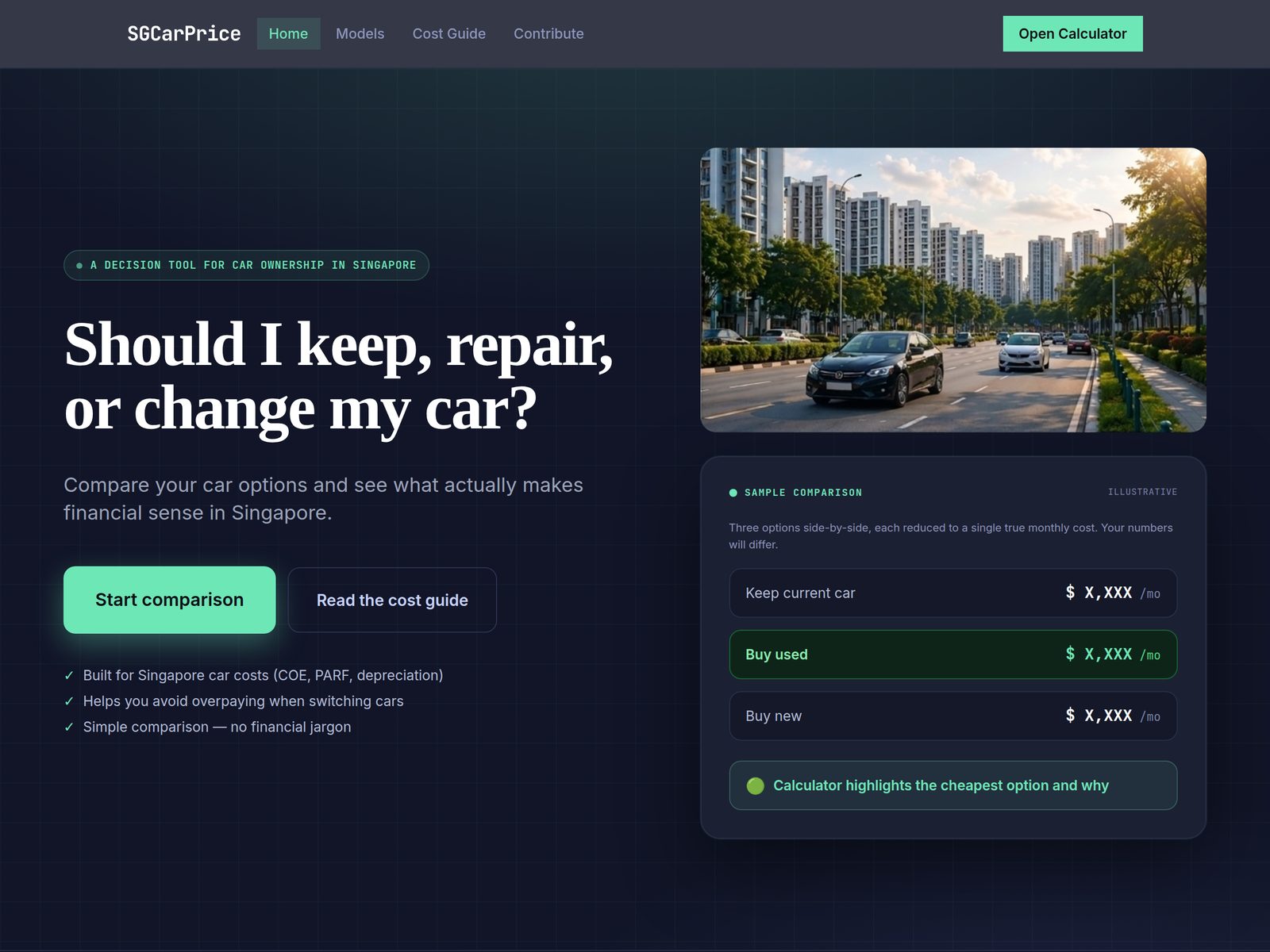
The whole app is built around one figure I call the true monthly burn. It’s my estimate of what a car costs you each month, all in. Roughly:
- Depreciation. What you pay for the car, minus what you get back when the COE runs out (the PARF rebate, if any), spread over the months of COE left.
- Loan interest, plus the interest your downpayment could have earned somewhere else.
- Running costs. Petrol or charging, maintenance, road tax, insurance, parking and ERP.
The depreciation part is the one most people underestimate, me included. A car with very little COE left can look cheap, but you’re paying for it over very few months. An older car with a low asking price can easily cost more per month than a newer one that costs several times as much.
That was when it clicked for me. The asking price on its own tells you very little.
What I used
- An AI app builder for the first rough version. You describe the app and it builds something you can click around in.
- AI coding tools for everything after that, like Codex and Claude Code. They work on the code in GitHub and open changes for me to approve.
- GitHub, where the code lives, and where a small scheduled job fetches COE results.
- Vercel, which puts the site on the internet.
- Supabase, for sign-in and the database.
- data.gov.sg, where the government publishes the COE bidding results.
- Cloudflare, where my domain is managed.
I don’t use Supabase’s command line tool. Everything to do with the database happens on the Supabase website, which turned out to matter later.
The first version
The first version came together in an evening: the monthly cost, PARF, the EV rules and the latest Budget changes, all in a rough form.
Then I moved it into GitHub and had an AI coding tool review it, and it found problems in the maths straight away. The prototype looked right, but the numbers underneath needed checking line by line. That set the tone for the whole project.
Getting the rules right
The rules took the longest, and they’re where I trust AI the least.
Singapore car costs are a pile of rules, and they change. The PARF rebate is the main one. When you deregister a car before it’s 10 years old, you get part of the ARF back, and how much depends on when the car was first registered and how old it is. Budget 2026 cut it sharply for newer cars. The EV incentives depend on the registration year too.
AI is very good at writing the code for a rule. It’s not good at knowing whether the rule is current. So whenever a rule goes in, I ask for the source and check it against LTA’s own pages myself. Even then, the app is my own reading of the rules, and the official sources are the ones to go by.
COE results
COE results should have been the easy part. The government publishes every bidding result on data.gov.sg for free.
My first idea was to have each visitor’s browser fetch the latest results. That ran into data.gov.sg’s usage limits quickly, which makes sense, because every page view became a request to them.
What worked was much simpler. A small scheduled job on GitHub fetches the results a few times a day and saves them as a file, and the site just reads that file. Visitors never touch data.gov.sg, the load on them stays tiny, and if their site is down, mine still shows the last results it saved. The job also tells me if the data stops updating.
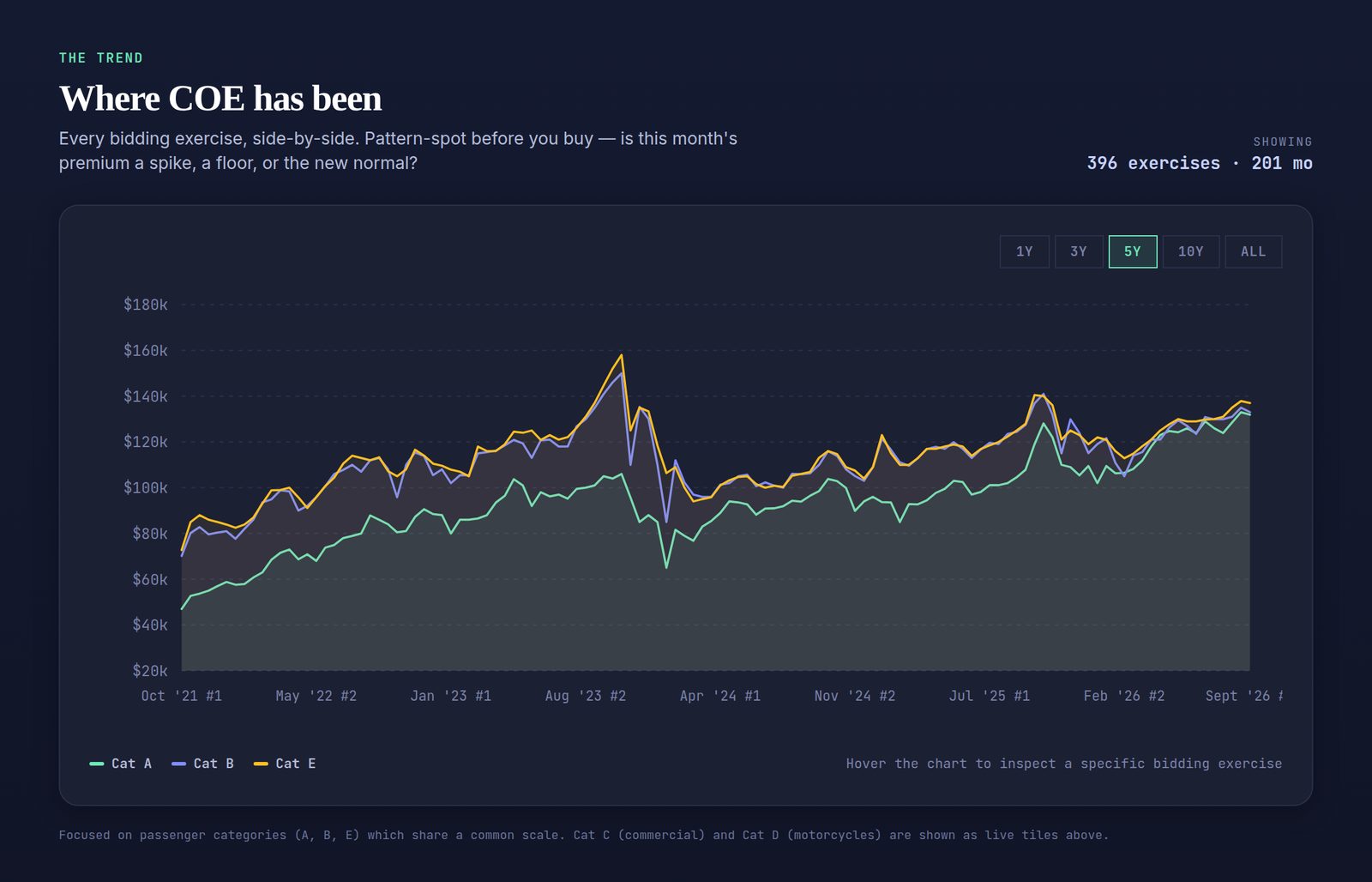
With the results saved as files, I added the history too, back to 2010. That became the trend chart.
The words matter too
The maths isn’t the only thing that needs checking. AI writes very confident website copy, so I read every line before it goes up and cut anything the app can’t back up.
The point of the app is an honest estimate. If the words around it overpromise, the number doesn’t mean much.
A database without a terminal
Later I added sign-in, so people could save comparisons, and a database of cars that other people can contribute to, with a review step before anything goes live.
When the database needs a change, the AI writes a file of SQL, and I paste it into the SQL Editor on the Supabase website and press Run. That works until something fails halfway. Then pasting the file again fails on the parts that already worked.
What fixed it was writing a rule into the instructions file my AI tools read: every database file must be safe to paste twice. Each file now checks whether something already exists before it creates it.
There’s an AI lesson in there too. When something kept failing, the AI gave a confident reason each time, and each reason sounded right. Not all of them were. Now I ask it to show me why before I accept a fix.
Reviews and tests
Every so often I ask for a proper review of the maths and the screens. Each one finds things I would never find by clicking around myself, mostly odd cases, like a car with nothing filled in or a COE that has already run out.
There’s also a set of automated tests now. They run example cars through the maths and check the answers haven’t changed. When a rule changes, the tests show me exactly which numbers moved.
What it does now
- Compare up to four cars side by side, or check whether to keep your current car or switch.
- The latest COE results for all five categories, and the trend back to 2010.
- Model pages that load straight into the calculator.
- A cost guide and a page explaining every formula.
- Share links. The whole comparison is packed into the link itself, so it works without an account.
- Sign in to save comparisons, contribute a car, or send me a message.
Every figure is still an estimate based on my own reading of the rules, so check anything important with the seller or LTA.
If you want to build your own
You don’t need to build a car calculator. But the same steps work for any “help me decide” tool.
- Write the maths down in plain English first. What goes in, what comes out, and every rule in between. Mine started as “true monthly burn = depreciation + interest + running costs”.
- Build a rough version fast with an AI app builder. Don’t get attached to it.
- Move it to GitHub and connect it to a host like Vercel, so every change gets a preview link before it goes live.
- Get an AI to review the maths before you add anything else. Ask it to explain each formula back to you with an example.
- For every government rule, ask for the source and check it yourself.
- If your data comes from a public source, read its terms, then fetch it on a schedule and save it. Don’t make every visitor’s browser ask for it.
- Add sign-in and a database only when you need them. If you’re pasting SQL into a website like me, tell your AI on day one and ask for every file to be safe to run twice. Keep secret keys out of your website’s code.
- Ask for tests that lock in your example answers. Then every change that moves a number gets caught.
- Read every sentence the AI writes about your product. Especially anything about privacy, money or the law.
Where it’s going
I am still figuring that out. It’s not finished and I am OK with that.
The rules will keep moving, and every time they do, I will go back in and check the numbers.
What I wanted from the start was one clear number to stop me buying with my heart. If it keeps doing that for me, that’s good enough for now.
— Howie